
AI Mirror: Screen Mirroring TV review
 Analysis by GetAllApps
I’d consider AI Mirror: Screen Mirroring TV when I want to put something already on my phone in front of a room, rather than turn my television into a new entertainment service. It is a free video and photo casting app from Insumos XP, aimed at the straightforward job of moving personal media to a larger display. That focus is useful, but it also means the experience depends on what you want to show and how well your phone and TV work together.
How it fits into a casting routine
The app sits in the video player and editing space, though its practical appeal is more about sharing media than editing it. The store’s short label is “AI Mirror,” but I would approach it as a screen-mirroring and casting tool, not as an AI photo editor or a general-purpose video production suite. That distinction helps set sensible expectations before installing it.
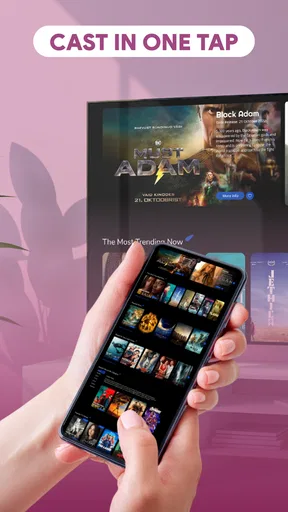
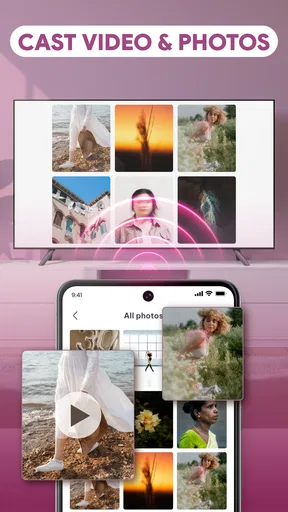
For a casual evening, the most natural use is choosing a video or a batch of photos on your phone and displaying them on a TV for other people. It can save the awkwardness of passing a handset around, especially when several people want to look at vacation pictures or a clip from a family event. The larger screen changes the social experience: the phone becomes the controller and source, while everyone can watch together.
In my view, the main question is not whether a big screen is nicer; it usually is. It is whether this particular app can connect reliably to the devices in your home and present the media you want without a fiddly setup. Casting apps are only convenient when the phone, network, and receiving screen cooperate. I would test it with a short, unimportant clip before planning a movie night or a presentation around it.
What the current release tells me
The current version is 1.0.2, and the app’s release date is April 1, 2026. Those details establish a relatively early product stage, not a track record of long-term refinement. I would treat the version number as a reason to keep expectations measured: the basic purpose is clear, but a small version label alone does not tell me how polished setup, device discovery, or playback will feel on every television.
There is no confirmed change history here that would support claims about particular improvements between releases. So I would not assume that the current build adds a specific feature or fixes a specific compatibility problem. What is reasonable to watch for over time is whether future updates make connections more predictable and clarify the app’s capabilities. Until then, my assessment rests on the product’s present casting purpose rather than promises about what may come next.
The scale of adoption is notable: it has passed 10 million installs, while its average score is 3.2 from around 14,000 ratings. That combination suggests many people have tried it, but the middling score is a useful caution rather than a reason to dismiss it outright. For a mirroring app, device differences can shape the experience sharply; one person’s smooth session does not guarantee the same result on another phone-and-TV pairing.
Where it can make an ordinary day easier
Imagine coming home with a handful of pictures from a weekend trip and wanting to show them over dinner. Instead of zooming into a phone and handing it across the table, you can try using the app to put the images on a shared screen. The practical benefit is not a hidden editing trick; it is reducing the little interruptions that make group viewing less enjoyable. I’d select the photos I actually want to share beforehand, so the audience is not waiting while I scroll through unrelated camera-roll clutter.
A similar workflow suits a quick personal video: a child’s performance, a pet doing something funny, or a short recording you want relatives to see. The key trade-off is that phone-based viewing and TV-based viewing are not interchangeable. A clip that looks fine in a small preview can reveal framing or quality issues on a larger display. Before gathering everyone, I’d check the first few seconds on the TV and make sure the picture is oriented as intended.
For a casual work or school discussion, mirroring can also help when the material is already on the phone and the goal is simply to show it to nearby people. I would not make this my first choice for a formal presentation with strict timing, however. A dedicated presentation setup or a direct connection is generally a safer fallback when a delay, failed connection, or unexpected interruption would be embarrassing.
One useful habit is to separate the preparation step from the viewing step. Pick and review the content on the phone first, then start casting. That avoids browsing private photos in front of a group and keeps the session focused. It is a small privacy-conscious workflow, not a special capability I would attribute to the app itself, and it makes any phone-to-TV sharing tool less awkward.
What to expect from setup and playback
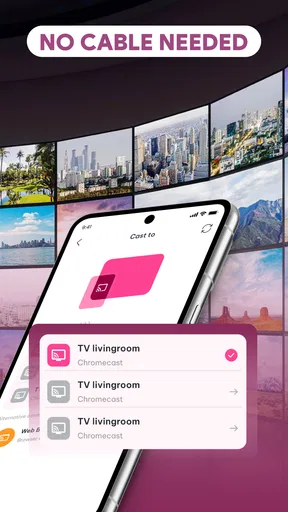
The app is intended to make casting approachable, but “easy” is ultimately something I would judge after seeing whether it recognizes the receiving screen and keeps the connection stable. If the TV does not appear, I would first check that both devices are on the same local network and that the television is ready to receive a cast or mirror session. Those are practical troubleshooting steps for this kind of setup, not a guarantee that every device combination is supported.
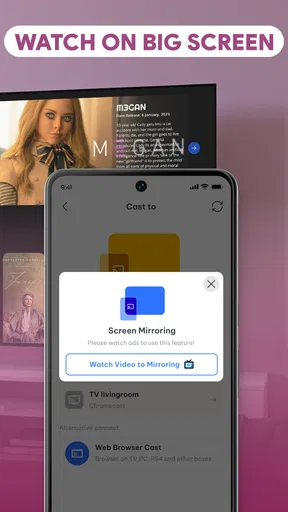
I would also distinguish screen mirroring from sending a selected media file to a TV. Mirroring generally means the television reflects what is on the phone, while media casting can focus on the chosen video or photo. The exact behavior can matter: mirroring may expose notifications or other on-screen activity, so I would silence alerts and close unrelated apps before sharing in a group. If the app offers a direct media-selection route in the current build, that may be preferable for a clean viewing session; I would verify the available controls on my own device rather than assume every workflow is present.
Network conditions are another real-world variable. A weak or congested connection can make a wireless viewing session feel less dependable than playing content directly on a TV or using a wired connection. If a video stutters, I would move closer to the router or reduce other network-heavy activity before deciding the app itself is unusable. For a short clip or photo slideshow, the occasional hiccup may be tolerable; for a long film, uninterrupted playback matters more.
Because I would be showing material from a personal phone, I’d think about what stays visible during the session. Screen mirroring can display more than the intended photo or clip if I switch apps or receive a notification. A quick do-not-disturb check and a deliberate choice of content are sensible safeguards. Anyone who regularly shares sensitive work material should also consider whether displaying the whole phone screen is appropriate for the setting.
How it compares with familiar alternatives
The usual alternatives are built-in casting tools on phones and televisions, streaming apps with their own cast controls, and wired connections such as an HDMI adapter. Built-in tools can be the better option when they already work smoothly with a particular TV, because they avoid adding another app to the process. A streaming service’s own casting control may also be more reliable for that service’s content than mirroring the phone’s entire display.
AI Mirror’s appeal is the idea of having a focused route for showing personal videos and photos on a larger screen. That is most relevant when the content is already stored on the phone and a TV’s native interface is inconvenient. In contrast, someone who mainly watches online services may be better served by the TV’s own apps or the casting button inside those services. Someone who needs dependable, low-latency display for work may prefer a wired connection or a presentation system they have already tested.
The app is free, which makes trying it a low-commitment choice, but free does not automatically mean frictionless. I would weigh the time spent connecting against the convenience gained. If the household TV is already easy to use from the phone’s built-in controls, adding AI Mirror may not improve much. If those controls are confusing and the app offers a clearer path on your device, it could earn a place in an occasional-use toolkit.
Who is likely to be satisfied—and who may not be
I can see this working best for people who often share personal photos and short videos with family or friends, and who are comfortable checking a wireless connection before they begin. It is also a reasonable experiment for someone who wants a simple way to make phone media visible across a room. The age rating is Everyone, so the intended audience is broad, though that rating does not replace a parent’s judgment about what content is shown on a shared screen.
I would be more cautious if I needed reliable playback for an important event, if my home network is unstable, or if I expect the app to edit footage, organize a media library, or provide streaming content. Its stated role is casting and mirroring, so those broader jobs should not be assumed. I’d also skip it if I do not own a compatible receiving display or have no interest in sharing phone media beyond the handset.
In the app catalog, it has a 3.2 average from roughly 14,000 ratings and around 406 written reviews, so I would read the mixed reception as a prompt to try it with modest expectations. The rating is not a diagnosis of the cause, and I would not infer a specific flaw from it. Instead, I’d use a quick test to answer the question that matters most to me: does it connect to my TV and show my chosen content acceptably?
What I would watch for before relying on it
On a first run, I would test both a photo and a short video, since a successful still image does not necessarily tell me how video playback will behave. I’d check whether the image orientation looks right, whether the video remains watchable, and whether controls are understandable enough to use without interrupting the group. That simple trial reveals more than installing the app minutes before guests arrive.
I would also keep an alternative ready. If the connection does not appear promptly, switch to the TV’s built-in casting option or a direct cable rather than turning a casual gathering into a troubleshooting session. This is not a knock against AI Mirror specifically; it is the sensible way to use any wireless display app when the receiving hardware and network can vary. The best tool is the one that works with the equipment already in front of you.
Insumos XP’s app is a focused, free option for bringing phone photos and videos to a larger display, and its broad reach shows that many users are interested in that simple task. I would give it a try for low-pressure sharing, but I would not treat it as a guaranteed replacement for native TV casting or a wired setup. My recommendation is to test your own phone-and-TV combination before depending on it: if the connection is smooth, it can make casual group viewing more natural; if not, the alternatives are often the better fit.
Pros and cons
Pros
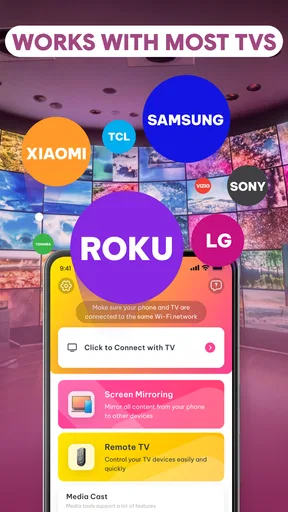
- Works with compatible TVs and streaming devices on the same Wi-Fi network.
- Can mirror photos and videos from a phone onto a larger screen.
- Offers a convenient way to share mobile content during presentations.
- Useful for viewing apps that do not have a TV version.
- Setup is generally straightforward when both devices are on the same network.
Cons
- Performance can vary depending on Wi-Fi strength and network congestion.
- Some TVs may require a separate receiver app or additional setup.
- Mirroring may introduce delay that affects gaming and other real-time use.
- Protected content from some streaming services may not mirror correctly.
- Compatibility depends on the phone model and the receiving device.


